Stainless CLI generator: your API, now with --help

Min Kim
Product Marketing Lead
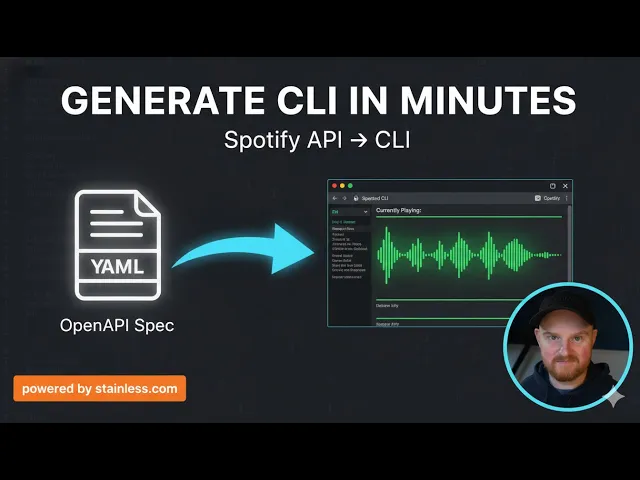
You can now generate a command line tool for your API directly from your OpenAPI spec with Stainless. Enable the CLI target in the Studio to generate a command line interface with proper argument parsing, automatic pagination, and the documentation features developers expect.
Command line tools are one of the fastest ways for developers to interact with APIs. They’re scriptable, composable, and ideal for quick experimentation and iteration. Building a high-quality CLI tool that people actually want to use, however, requires a lot of work. You need to get a lot of things right, like output formatting, pagination, shell completions, man pages, cross-platform distribution, and more. Due to the amount of time and effort that’s normally required, many API providers either don’t provide a CLI or only provide a minimal, watered-down tool that developers find wanting.
With today’s release, Stainless makes supporting the CLI easier than ever. You can generate a CLI tool from the same spec that powers your SDKs and keep everything in sync automatically.
Go, CLI, Go!
Under the hood, when we generate a CLI tool for your API, it’s actually a wrapper around your Go SDK.
A common question among our earliest CLI users was, “why Go?” It’s a great question! We chose Go for several reasons, but most of them boil down to the high performance and ease of distribution Go provides.
Go compiles to native binaries with no external runtime dependencies and near-instant startup time. Your users don't have to have Go installed, all they see is a fast, efficient, and native executable.
Go also has excellent cross-compilation support, which makes it easy for you to ship builds for macOS, Linux, and Windows across multiple architectures. That makes distribution straightforward for you, and installation easy for your users.
What you get
Every CLI tool we generate follows a resource-based structure that mirrors your API:
For example, with an API that manages people, using the CLI would look like this:
Method names and flags use kebab-case, the --help flag gives you full documentation for any command, and man pages are generated automatically so man your-project will work out of the box for your end users.
Shell completions are included for Bash, Zsh, fish, and PowerShell, and the CLI also works on Windows using the standard --flag=value syntax.
Argumentative arguments
Argument parsing is one of those problems that looks simple until you try to create a polished implementation. Shell scripting has many quirks that make complex payloads awkward. JSON requires nested quoting that's easy to mess up. If you want tab completion and proper --help documentation, your flags need to be defined statically (which rules out infinitely nested paths like --messages.0.content.0.text). And so on.
We spent a lot of time working through the tradeoffs. The design we landed on optimizes common cases, but handles complex structures with grace when you need them.
Pass simple values with intuitive syntax familiar to command line users:
Use dot notation for nested objects up to two levels deep:
For anything deeper, or for complex polymorphic types, pass YAML or JSON inline:
Pass array values with repeated flags:
Pipe full payloads via stdin. JSON and YAML both work:
You can also combine piped input with flags. Flags override values from stdin, which is useful for templating:
Built for AI agents
CLI tools make great interfaces for agents.
When an agent uses raw HTTP, it has to construct headers, manage authentication, serialize request bodies, and parse responses. A CLI takes care of all of that: authentication is handled using environment variables, request bodies become flags, and responses come back as structured JSON. All by default!
And, perhaps most critically, a CLI tool is self-documenting. An agent can run --help to discover what's available.
We tested this with a CLI generated for the Spotify API. Claude Code ran --help to discover the available commands, constructed valid requests, and parsed the responses without needing external documentation.
The same properties that make CLIs good for humans also apply to agents:
Predictable structure:
resource method --flag valueSelf-documenting:
--helpon every commandGood error messages: clear feedback when something's wrong
Standard conventions: kebab-case flags, JSONL output, meaningful exit codes
Robust distribution
Building a binary is one thing, but distributing it across platforms, setting up package managers, and keeping versions in sync with your API changes is quite another.
The Stainless CLI generator plugs into the same release flow as your other Stainless SDKs. When you merge a release PR, we use GoReleaser to automatically build binaries for macOS (arm64 and amd64), Linux (arm64, amd64, 386), and Windows (arm64, amd64, 386), and each release publishes to GitHub with all compiled binaries.
For macOS users, we support Homebrew out of the box. Configure your tap repository and Stainless keeps the formula updated automatically. Your users can install your CLI with a single command:
We're also working on support for more package managers, like npm.
Get started today
Enable the CLI target in your Stainless config alongside your Go SDK:
Check out our CLI generator docs for more details on setup and configuration. If you have any feedback, please reach out to [email protected]. We'd love to hear what you think!
Originally posted
Jan 29, 2026